
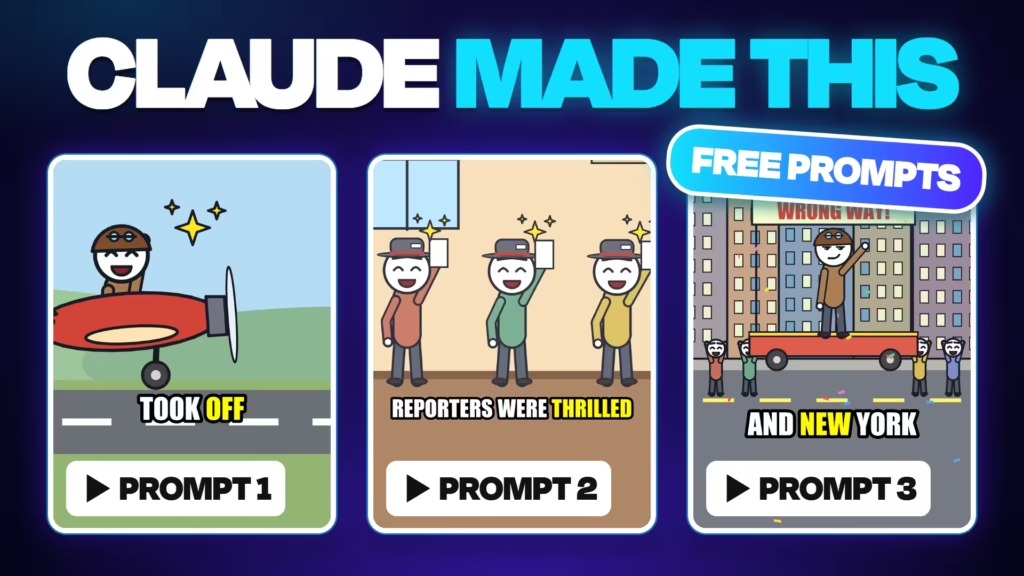
How to Make a Viral Stickman Short With Claude (3 Free Prompts)
- The guide’s own heading “Make a stickman Short with Claude” sits inside the block. If your theme also prints the post title, that is fine: title = search keyword, block heading = the friendly version. If it looks doubled, hide the post title for this post.
- Six steps, three free copy-and-paste prompts and one voiceover: Claude writes the script, plans every scene and animates the whole stickman Short. No image generator, no animation app.
Stickman Shorts are everywhere, and most tutorials need five tools: ChatGPT, an image generator, a video generator, a voice app and an editor. This guide uses one: Claude. You need a Claude account, the three free prompts below and a voiceover. Follow the six steps, copy each prompt and paste it into Claude. Prefer to watch first? The full video is the first thing in the guide below.
Make a stickman Short with Claude
6 steps, 3 free prompts, one voiceover. Follow along, copy each prompt, and paste it into Claude.
1. Get 10 video ideas
In Claude- Click Copy prompt 1.
- Open a new chat in Claude.
- Paste it. Add a niche in the last line if you want one, or leave it blank.
- Send. You get 10 ideas, each with a hook, a twist and a TRUE / LEGEND / WHAT-IF label.
You are a viral YouTube Shorts story writer for a stickman animation channel.
Give me 10 ideas for a [20-30] second stickman Short. Mix two kinds:
- WHAT-IF questions with escalating consequences ("What if you stopped sleeping for a week?")
- Crazy TRUE stories about one ordinary person, with a twist at the end
For each idea give me:
1. Title (5-8 words, curiosity-driven)
2. Hook: the first spoken line, a question or an impossible-sounding fact
3. Twist: the ironic last line
4. Big moments: 2-3 things that will look great animated (a reaction, a reveal, a chase, a fall)
5. Label: TRUE (documented), LEGEND (disputed), or WHAT-IF (made up, say so plainly)
Rules: one relatable main character, strong emotions to act out (fear, shock, smugness), simple places (home, office, street, airport, desert, ocean, space, school). Check the facts of every TRUE idea before you list it. No real living people, nothing graphic, nothing political.
Topic or niche (optional): [ANY TOPIC, OR LEAVE BLANK]
New chat
How can I help you today?
You are a viral YouTube Shorts story writer for a stickman animation channel. Give me 10 ideas…
↑
Paste prompt 1 here, then press send.
2. Script and scene list
Same Claude chat- Pick the idea you like best (TRUE ideas are the easiest to defend in the comments).
- Copy prompt 2, paste it in the same chat, and put the idea’s number in the brackets.
- Claude writes the script, a scene for every sentence, and ElevenLabs settings.
- Change any words you like, then copy the final script. You need it twice.
Write the full script for idea number [NUMBER].
Script rules:
- About 3.6 words per second: 20 s = 70 words, 30 s = 105 words.
- Line 1 is the hook. No intro, no "in this video".
- Then a short setup with one concrete detail, 2-4 escalating beats, a turn ("But..." / "Then..."), and the twist as the very last words.
- Short sentences, one feeling per sentence (the stickman's face reacts to it). Plain spoken English, contractions, numbers written as words. Never describe what the viewer already sees.
Then give me:
1. The script in one copyable block, with the word count and estimated length.
2. A scene list: for every sentence, the place, who is on screen, their expression and pose, the camera framing (wide, medium, close-up), and one sound effect.
3. Voice recording tips: one narrator voice, settings for ElevenLabs (speed, stability), where to pause.
Claude
Write the full script for idea number 3…
Script (98 words, ~27 s)
What if you were the last person in line at the gate?…
What if you were the last person in line at the gate?…
| 1 | Airport gate, wide | worried | whoosh |
| 2 | Clock, close-up | sleepy | tick |
| 3 | Agent, close-up | smug | pop |
3. Record the voiceover
In ElevenLabs- Open ElevenLabs with the link below (new accounts get 10,000 free credits).
- Go to Text to Speech and paste your final script.
- Pick a narrator voice. Speed about 1.05-1.1, stability about 50%.
- Click Generate, listen, then Download the MP3.
One line sounds off? Regenerate just that sentence, not the whole thing. No music: Claude adds the sound effects.
Text to Speech
What if you were the last person in line at the gate? You’d waited three hours…
Voice
Narrator (deep) ▾
Speed
1.08
Stability
Generate⬇ MP3
50%
4. Animate it
Same Claude chat- Back in the same chat, click the 📎 attach button and add your MP3.
- Copy prompt 3 and paste it.
- Replace [PASTE YOUR FINAL SCRIPT] with your script.
- Send. Claude times every word, draws every frame in code and adds the sound effects.
I've attached my voiceover. Here is the exact script:
[PASTE YOUR FINAL SCRIPT]
Turn it into a finished vertical stickman Short (1080x1920, 30 fps, MP4) using code in your environment. Don't use any AI image or video generator: draw every frame yourself.
Timing:
- Find when each word is spoken (use Whisper if it's available, otherwise detect pauses and match them to the script). The video is exactly as long as the voiceover, and every reaction lands on its word.
Style:
- Stickman characters with big round white heads, thick dark ink outlines, simple bodies and clothes in flat muted colours.
- Expressive faces: eyes, eyebrows and mouth change with the emotion of each sentence (happy, shocked, scared, angry, sad, smug). Characters blink and breathe so they never freeze.
- Simple flat backgrounds that match the scene list (room, street, office...), same outline style.
- One scene per sentence, following the scene list from before. Mix wide shots and close-ups, with one slow camera push or pull in every shot.
- Pop-up marks on reactions (!, ?, sweat drop, sparkles).
- Bold captions near the bottom third: white text with a thick black outline, max 3 words at a time, the spoken word highlighted in yellow.
Sound:
- Keep my voice exactly as it is.
- Add simple sound effects you generate in code (soft whoosh on scene changes, pop on reactions, a hit on the twist), about half as loud as the voice. No music.
Before rendering the whole video, show me a contact sheet of one still per scene. Then render and give me the MP4.
Claude
…scene list…
🎵 voiceover.mp3 0:27
📎
I’ve attached my voiceover. Here is the exact script: What if you were…
↑
5. Check the stills, then render
Same Claude chat- Claude first shows a contact sheet: one still from every scene.
- Check faces, captions and that every scene matches its line.
- Happy? Reply “Looks good, render it.” Not happy? Say what to change (next step).
- Rendering takes a few minutes. Let it work.
Looks good, render it.
Claude
Contact sheet: one still per scene
Want any changes before I render?
6. Fix it by chatting, then download
Same Claude chat- Watch the MP4. It won’t be perfect on the first try, and that’s normal.
- Ask for changes in plain words. Name the word or the scene, and what you want instead.
- Each change is one more render. When it looks right, download the MP4 and post it.
Examples (tap to copy):
Claude
Make his face more shocked on “overbooked”.
Done! Bigger eyes, open mouth and a camera shake on “overbooked”. Here’s the new version:
🎬 stickman_short.mp4
🎬 stickman_short.mp4
Want all 6 steps in one click?
In my course Learn Video Editing with Claude Code you get the full stickman skill: pick an idea, upload your voice, done. No pasting prompts, no fixing scenes, the same polished look every time, and it renders in minutes.
Get the course