

Apple TV App Gets a Video Podcasts Section (Free Prompt)
Apple told The New York Times it is adding a video podcasts section to the Apple TV app. Developers can test it in the 27.3 betas starting today. Here is what is actually new, my take for YouTube podcasters, and a free prompt that turns one episode into show notes and chapters.
- Apple is adding a video podcasts section to the Apple TV app, visible in the 27.3 developer betas now. It is not a public launch yet.
- Podnews expects the public release with the 27.3 update, and notes past years shipped around December 11 or 12. That is its estimate, not an Apple date.
- Video podcast support in Apple Podcasts is older. Only the Apple TV app section is new.
- Apple says top podcasts that added video saw their audience grow by more than 20% on average.
- My take: worth preparing if you already make a video podcast. Skip the panic if you are a small channel with no plans to leave YouTube.
1. What Apple is adding to the Apple TV app
Developer beta, Nov 16, 2026MacRumors reports that Apple told The New York Times it will add a video podcasts section to the Apple TV app, and that developers can test it starting Monday, November 16, 2026. Podnews, also on November 16, says video podcasts from Apple Podcasts get their own rail in the app, and that the feature shows in the latest 27.3 developer betas.
- Status: developer beta only. Podnews expects the public release with the 27.3 update, based on past release dates. Apple has not confirmed a date in the sources I read.
- What is not new: video in Apple Podcasts. MacRumors covered video playback on Mac and a redesigned tvOS Podcasts app back in June 2026.
- Cost to viewers: Podnews says video podcasts stay free in Apple Podcasts, and playback syncs between the two apps. It says the Apple TV service itself is for paid subscribers, with a free trial.
- Apple’s numbers (via Podnews): in the last three months the number of shows publishing video more than doubled, and the video episode catalog nearly tripled.
- Apple’s quote: it says this creates more opportunities for creators to reach new audiences.
- Hosting: Podnews says Megaphone added HLS video for Apple Podcasts last week, and that the top 10 podcast hosts offer Apple Podcasts video or have an upgrade path.
2. My take: what this means for YouTube podcasters
My honest opinion- Facts first: none of the sources I could read say this is aimed at YouTube. That reading is mine. What the sources do show is Apple pushing video podcasts onto the biggest screen in the living room.
- Who it helps (my view): creators who already record video podcasts and publish through a host that supports Apple Podcasts video. It is one more place for the same episode, with no new edit.
- Who should skip it (my view): channels that only post clips or Shorts, or small shows whose audience lives entirely on YouTube. Do not rebuild your workflow for a beta.
- The catch: it is a developer beta, creator requirements were not published in the sources I read, and Apple has not said how video podcasts will be ranked or recommended there.
- How it compares: YouTube still has search, comments and a monetization system most creators already use. Apple’s pitch, per the sources, is reach, not a replacement. I would treat it as an extra distribution channel, not a move.
- Verdict: worth preparing if you publish a full video podcast weekly. Skip it if you make short videos only. I have not tested the section, so I am not judging how it looks or performs.
3. Free prompt: show notes and chapters from one episode
Unlocks in a few seconds- Wait for the timer, then click Show the prompt.
- Click Copy prompt and paste it into Claude, ChatGPT or any AI chat.
- Paste your YouTube transcript with timestamps where the brackets say so.
- Check every timestamp against the video before publishing. Remove private details first.
I publish a video podcast on YouTube and want to repurpose one episode for Apple Podcasts and any other podcast app. Here is the transcript with timestamps: [paste transcript].
Show title: [title]. Episode topic: [one line]. Audience: [who it is for].
Give me:
1. A clear episode title (under 70 characters) and a 2-sentence description.
2. Show notes: 5 bullet points of the main ideas, plus any links or names mentioned in the transcript.
3. Chapters as a list: timestamp, then a short chapter title. Use only timestamps that appear in the transcript. Start at 00:00.
4. 3 pull quotes taken word for word from the transcript.
5. A short checklist of what I should verify before publishing.
Do not invent facts, links, timestamps or quotes. If something is unclear, write 'check this'.
| Timestamp | Chapter title | Check |
|---|---|---|
| 00:00 | Intro and guest | Verify |
| 04:12 | Main topic | Verify |
| 18:40 | Listener questions | Verify |
| 31:05 | Wrap up | Verify |
4. What to watch next
Coming up- Public release: Podnews expects it with 27.3. Apple has not given a date in the sources I read.
- Creator requirements: none were stated, so watch for Apple or your host to spell them out.
- Host support: check whether your podcast host offers HLS video for Apple Podcasts.
FAQ
Should I move my podcast from YouTube to Apple Podcasts video?
My view: no. Treat Apple as an extra channel, not a replacement. It is a developer beta and the sources do not say how shows are discovered there. Keep YouTube and publish the same episode in both places if your host supports it.
Is the video podcasts section live for everyone?
No. It is in the 27.3 developer betas for testing. Podnews expects the public release with the 27.3 update.
Was video podcast support already in Apple Podcasts?
Yes. Video playback in Apple Podcasts and a redesigned tvOS Podcasts app were announced earlier this year. The new part is the dedicated section inside the Apple TV app.
Do viewers have to pay to watch video podcasts?
Podnews says video podcasts stay free in Apple Podcasts and sync with the Apple TV app. The Apple TV service itself is for paid subscribers, with a free trial.
How do I get ready?
Per Podnews, check that your podcast host supports HLS video for Apple Podcasts, since the top 10 hosts offer it or have an upgrade path. Then prepare clean show notes and chapters with the free prompt above.
Want AI to handle your video workflow?
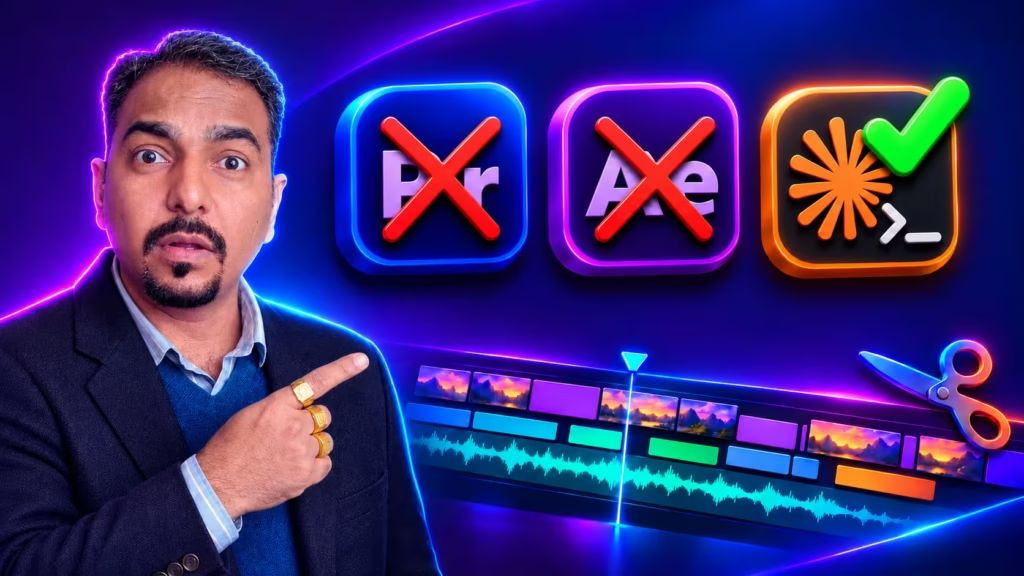
The same prompt skills work for editing. In my course Learn Video Editing with Claude Code you edit videos with Claude, with no Premiere and no code.
Get the course


