

ElevenAI: Mac Meeting Notes + Dictation App (Free Prompt)
ElevenLabs, best known for AI voices, has opened early access to ElevenAI, a Mac app that writes your meeting notes and turns speech into clean text in any app. Here is the short version, the limits to know, and a free prompt that turns messy notes into action items.
- ElevenAI is a new Mac app from ElevenLabs for meeting notes and dictation, in early access now.
- The official page says it is free for 3 months on Mac. No other pricing was published.
- Dictation works in any app and supports 90+ languages. Meeting notes include speaker labels, action items and a drafted follow-up.
- ElevenLabs says it does not store audio, and transcript history stays on your Mac.
- My take: worth a free try if you have lots of calls and use a Mac. Skip it if you are on Windows or only need occasional notes.
1. What ElevenLabs launched
Early access, week of Nov 13, 2026ElevenLabs revealed ElevenAI during the week of November 13, 2026, as TechCrunch reported from the company’s 11/11 Summit in New York. It is experimental and in preview, so you sign up for early access instead of downloading it directly. TechCrunch describes it as aimed at teams, not only solo users.
- Dictation: hold a key and speak in any app where you can type. It removes filler words, fixes punctuation and spells names and jargon correctly, in 90+ languages.
- Meeting notes: records meetings in person or on calls, then gives a summary with action items, labels each speaker and drafts a follow-up.
- Custom terms: you can add product names, acronyms and industry terms so they are spelled right.
- Briefs and handoffs: built on context from past conversations, powered by ElevenAgents.
- Other tools: notes and transcripts can be used in other AI tools through MCP.
- Price: the product page says free for 3 months on Mac. Pricing after that was not stated.
2. My take: who should try it and who should skip it
My honest opinion- Facts first: ElevenLabs says ElevenAI does not store audio and keeps transcript history on your Mac. A notice appears on video when notes are being taken. It is experimental, in early access.
- Who it helps (my view): anyone who sits in many calls, or types a lot, and wants one app for both jobs. Creators and editors who dictate scripts, captions and client emails can save real typing time, and the free 3 months on Mac makes a trial low risk.
- Who should ignore it (my view): Windows users, people who only have a few meetings a month, and anyone who already likes their current notetaker. A new tool in early access is not worth switching for.
- The catch: it is Mac only for now, access is by sign-up, and nobody has published the price after 3 months. Free for 3 months can become a paid habit, so decide before you get used to it.
- How it compares: TechCrunch says Fireflies and Granola already added dictation, and Wispr Flow was reported to be building a notetaker. In my view, ElevenLabs’ angle is its own speech models and 90+ languages, but I would not call it better until it is tested side by side, and I have not done that.
- Verdict: worth trying if you are on a Mac and want dictation and meeting notes in one place. Skip it if you are on Windows, or if your current tool already does both. Always tell people before you record them.
3. Free prompt: decide if ElevenAI is right for you
Unlocks in a few seconds- Wait for the timer, then click Show the prompt.
- Click Copy prompt and paste it into Claude, ChatGPT or any AI chat.
- Fill in the brackets honestly: your computer, your meetings per week, the tool you use now.
- Read the verdict, then test with one real meeting during the free period. Remove private details before pasting any notes.
I am deciding whether to try ElevenAI (ElevenLabs' Mac app for meeting notes and dictation, in early access, free for 3 months on Mac, 90+ languages, does not store audio). My situation: computer [Mac or Windows], meetings per week [number], what I use now for notes [tool or nothing], what I type most [emails, scripts, captions, reports], and my budget after the free period [$ amount].
Give me:
1. A clear verdict: try it now, wait, or skip, in one sentence.
2. Three reasons for that verdict based only on my situation.
3. A 7-day test plan: which meetings to try it on, what to measure (minutes saved, mistakes in names, missed action items).
4. A comparison table of my current tool vs ElevenAI with columns: Feature, My current tool, ElevenAI. Write 'unknown' if you are not sure instead of guessing.
5. Two questions to ask before I rely on it (price after 3 months, who can see my transcripts).
Do not invent features or prices.
To test notes cleanup, here is a sample meeting note: [paste a short note, or write 'none'].
| Feature | My current tool | ElevenAI |
|---|---|---|
| Mac support | Yes | Yes |
| Windows support | Yes | Not announced |
| Dictation in any app | No | Yes (per product page) |
| Price after 3 months | $ amount | Unknown |
4. What to watch next
Coming up- Pricing after 3 months: the official page does not say what it will cost.
- Other platforms: no Windows or phone version was announced in the sources I read.
- Rivals: Fireflies, Granola and Wispr Flow are all moving into the same space.
FAQ
Should I switch to ElevenAI from my current note taker?
My view: not yet. It is in early access, Mac only, and the price after 3 months is not published. Try it free alongside your current tool on a few real meetings, and switch only if it clearly saves you time.
What is ElevenAI?
It is a Mac app from ElevenLabs for meeting notes and dictation. Notes include a summary, action items, speaker labels and a drafted follow-up.
Is ElevenAI free?
The product page says free for 3 months on Mac. Pricing after that was not published.
Is ElevenAI available on Windows or iPhone?
The product page only mentions Mac, and access is by early-access sign-up.
Does ElevenAI store my audio?
ElevenLabs says it does not store audio, and transcript history stays on your Mac.
Want AI to do more than take notes?
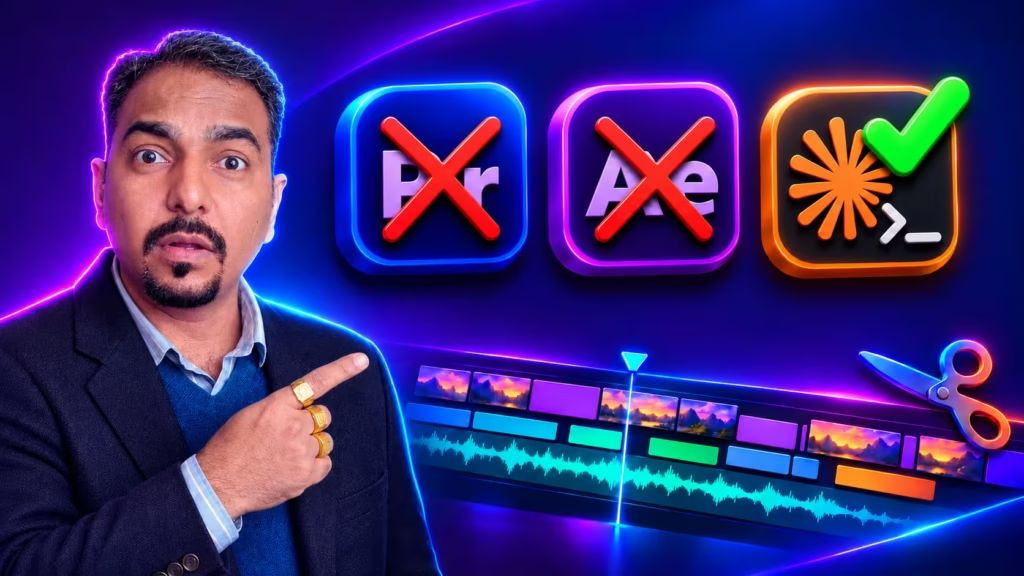
The same prompt skills work for video. In my course Learn Video Editing with Claude Code you edit videos with Claude, with no Premiere and no code.


